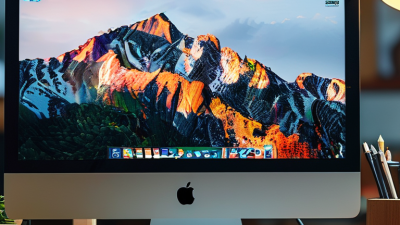
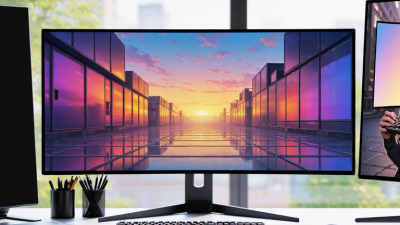
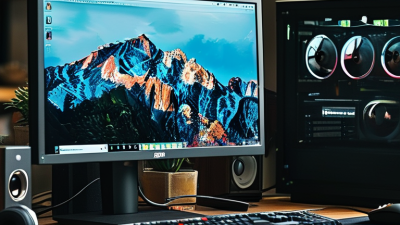
Choosing a computer monitor in 2026 is no longer a simple matter of picking the largest screen. OLED and QD-OLED panels promise deep blacks, fast response times, and striking contrast. Mini-LED monitors offer bright HDR highlights without relying entirely on OLED technology. IPS displays remain dependable for office work, color-sensitive tasks, and shared viewing angles. Ultrawide, 4K, 5K, high-refresh-rate, and USB-C models each solve different problems.
Raymond Soneira, founder of DisplayMate, has stated, “The display is the most important component in any consumer electronic device.” That idea still matters when comparing today’s screens. A designer may notice inaccurate skin tones immediately. A gamer may feel every missed frame during a fast match. A remote worker may value one cable, adjustable height, and clear text more than extreme contrast.
This guide examines the leading computer monitor types expected to shape 2026. It considers panel structure, resolution, refresh rate, HDR performance, connectivity, ergonomics, and realistic ownership costs. A 32-inch OLED monitor can look spectacular in a dark room, yet reflections may become distracting near a bright window. Mini-LED may deliver stronger brightness, but its local dimming can still produce visible halos. No category wins everywhere.
That is the part buyers often overlook. Specifications describe capability, not daily comfort. Personal use, room lighting, software, and budget still decide the better choice. Some recommendations may remain debatable, because monitor technology continues to improve faster than buying habits.
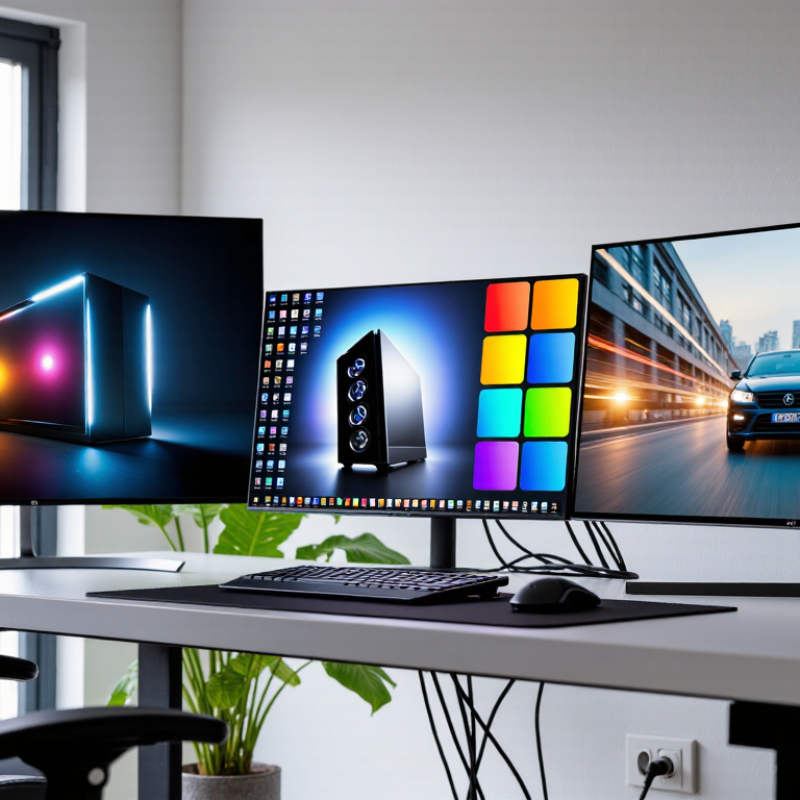
In 2026, monitor choices are shaped by work, gaming, content creation, and smaller living spaces. OLED panels attract users who want deep blacks, quick response, and strong contrast. Mini-LED monitors offer bright highlights and more controlled local dimming. Both technologies look impressive, but each still has trade-offs. OLED may require careful static-image habits, while Mini-LED can show blooming in difficult scenes.
High-refresh gaming monitors remain popular, especially for competitive play and fast action. Ultrawide models are also growing because they replace two screens with one wider workspace. Many professionals prefer USB-C connectivity, built-in charging, and simple cable management. Ergonomic stands are becoming more valuable as people spend longer hours at desks. I have found that specifications alone can mislead buyers. A bright screen may still feel uncomfortable in a dim room. A fast refresh rate may also matter little for office work.
Tips:
Match the monitor to your daily tasks. Check text clarity at your normal viewing distance. Test brightness below maximum settings. Compare ports, stand adjustment, warranty terms, and power delivery. Consider your desk depth before choosing an ultrawide screen. Do not ignore eye comfort. That remains difficult to measure, and personal experience can differ.
What Are the 2026 Top Computer Monitor Types?
LCD Monitor Categories and Their Practical Strengths
In 2026, LCD monitors remain practical choices for work, gaming, and creative tasks. Their strengths differ by panel design, backlight, and daily workload. IPS panels provide wide viewing angles and consistent colors across the screen. They suit photo editing, office layouts, and shared viewing. VA panels produce deeper contrast, especially in dark rooms. Their richer blacks help movies and story-driven games feel more immersive.
TN panels still offer fast pixel response and predictable motion handling. They may help competitive players, but their colors and viewing angles can look weaker. Mini-LED LCD monitors use many small backlight zones for higher brightness and stronger contrast. They can create visible blooming around bright objects on dark backgrounds. That weakness is easy to miss in a showroom.
I assess monitors by checking measured contrast, response behavior, brightness, and factory calibration. A high refresh rate matters for fast games, but it cannot repair poor motion tuning. IPS glow also varies between units. I have seen two displays with identical specifications perform differently. That makes independent testing more reliable than a specification sheet alone. Size, resolution, desk distance, and room lighting should guide the final choice. No panel wins every test. A balanced setup often feels better than chasing one impressive number.
In 2026, OLED and Mini-LED monitors will lead premium display discussions.
Their strengths differ in visible, practical ways. OLED pixels switch off independently, producing deep blacks and sharp contrast in dark scenes. A black room stays black. OLED also delivers fast response, which helps reduce motion blur during competitive play. TrendForce estimated global OLED monitor shipments at 1.44 million units in 2024, representing 181% year-on-year growth. That expansion signals stronger demand, not guaranteed perfection.
Mini-LED uses many small backlight zones behind an LCD panel. According to Omdia’s display market research, local-dimming backlights remain important for improving HDR performance across larger screens. Mini-LED can reach high brightness and may suit bright offices, editing rooms, and long documents. However, blooming can appear around white text on dark backgrounds. OLED faces another concern: static interface elements may increase long-term image-retention risk.
Independent testing from RTINGS and related laboratory reviews often shows meaningful differences between models, even within the same display type. Specs alone mislead. Look for measured peak brightness, sustained brightness, contrast behavior, text clarity, and warranty coverage. VESA’s DisplayHDR testing framework can provide a useful reference, although certification does not replace hands-on evaluation. The best 2026 monitor may depend less on panel fashion and more on room lighting, workload, and tolerance for compromise.
Gaming monitor types now serve three clear priorities: speed, resolution, and immersion. Newzoo’s 2024 Global Games Market Report estimates 3.42 billion people play games worldwide. That audience includes competitive players, visual enthusiasts, and casual users with limited desk space.
Speed-focused monitors usually offer 240Hz or higher refresh rates, fast pixel response, and low input delay. They suit shooters, racing games, and esports titles. A 144Hz display already feels noticeably smoother than 60Hz during rapid camera movement. However, refresh rate alone can mislead. Weak motion handling may create ghosting, even at impressive speeds. My practical advice is to test dark transitions, not only advertised numbers.
Resolution-focused models commonly target 1440p or 4K. The December 2024 Steam Hardware Survey continued to show Full HD as the leading reported resolution, suggesting affordability still shapes real-world choices. A 1440p monitor often balances sharp text and manageable graphics demand. 4K looks richer, but it needs stronger hardware and may reduce frame rates. I would not call it automatically better.
Immersion-focused types include ultrawide, curved, and high-contrast OLED displays. Wider screens expand peripheral vision in simulations and open-world games. HDR can add brighter highlights and deeper shadows, although poor game support limits the effect. Curvature helps some desks, but it can feel awkward for spreadsheets. That trade-off matters. Performance, viewing distance, and room lighting should guide the final choice.
What Are the 2026 Top Computer Monitor Types?
Professional and Specialized Monitors for Work and Creativity
Professional monitors in 2026 are becoming more task-specific. IDC’s Worldwide Quarterly PC Monitor Tracker reported 5.9% year-over-year shipment growth in Q2 2024. That growth reflects demand beyond basic office screens. A 4K monitor suits detailed documents, coding, and large spreadsheets. Ultrawide models help video editors keep timelines, scopes, and previews visible. High-refresh displays support smoother animation work and real-time design reviews. Yet resolution alone does not guarantee better results.
Color-critical monitors remain essential for photographers, designers, and filmmakers. Look for factory calibration, wide color coverage, and hardware calibration support. The International Color Consortium promotes standardized color management across professional workflows. VESA’s DisplayHDR specifications also help describe brightness and contrast performance. However, certification labels can still confuse buyers. Real performance depends on viewing conditions, software, and calibration habits. No panel is perfect.
Tips: Measure your desk first. Keep the screen near eye level. For creative work, compare Delta E results, not marketing language. Test uniformity with a gray image before accepting a display. A matte surface may reduce reflections, but it can slightly soften fine detail. For long office sessions, prioritize adjustable stands, flicker control, and readable text. My practical mistake was choosing maximum resolution before checking scaling support. Tiny interface elements quickly became tiring.
| Monitor Type | Typical Screen Size | Common Resolution | Typical Refresh Rate | Color and Image Characteristics | Professional Applications | Key Advantages | Important Limitations | Recommended Selection Criteria |
|---|---|---|---|---|---|---|---|---|
| 4K Productivity Monitor | 27–32 inches | 3840 × 2160 | 60–144 Hz | High pixel density, sharp text, and broad workspace; IPS and OLED variants are common. | Document-heavy work, spreadsheets, programming, research, office multitasking, and general creative work. | Detailed text, clear images, and more usable space than Full HD or standard QHD displays. | Higher scaling requirements; 4K at high refresh rates needs a suitable graphics connection and system. | Pixel densityUSB-CErgonomic standText clarity |
| Ultrawide Productivity Monitor | 34–40 inches | 3440 × 1440 or 5120 × 2160 | 60–165 Hz | Wide horizontal workspace with curved and flat formats; aspect ratios commonly range from 21:9 to 32:9. | Project management, financial analysis, timeline-based editing, coding, research, and multi-window workflows. | Can replace two displays while reducing bezel interruptions and simplifying desk organization. | Requires substantial desk width; some applications and video content may not use the full screen. | Aspect ratioWindow managementCurve radiusKVM support |
| Color-Accurate Photo and Design Monitor | 27–32 inches | 2560 × 1440 or 3840 × 2160 | 60–120 Hz | Wide-gamut coverage, factory calibration, uniformity control, and support for color-managed workflows. | Photography, graphic design, illustration, layout, digital publishing, and prepress preparation. | More dependable color evaluation and smoother transitions in demanding image-editing workflows. | Wide-gamut modes can look oversaturated in unmanaged applications; calibration remains important. | sRGB modeDCI-P3 coverageUniformityHardware calibration |
| HDR Video-Creation Monitor | 27–32 inches | 3840 × 2160 | 60–144 Hz | High peak brightness, local dimming, wide color gamut, and improved highlight-to-shadow contrast. | Video editing, motion graphics, HDR mastering, content review, and cinematic post-production. | Provides a more useful preview of HDR contrast, brightness, and color than a standard SDR monitor. | HDR performance varies widely; edge-lit displays generally provide less precise control than full-array solutions. | Peak brightnessLocal dimmingHDR format support10-bit workflow |
| CAD and 3D Visualization Monitor | 27–40 inches | 2560 × 1440, 3840 × 2160, or 5120 × 2160 | 60–144 Hz | Sharp line rendering, stable viewing angles, strong geometric clarity, and high-resolution workspace. | Architecture, engineering, product design, industrial modeling, technical drawing, and simulation review. | Improves the visibility of fine geometry, panels, measurements, and detailed models. | Large high-resolution panels can be expensive and may require a powerful professional graphics system. | ResolutionUniformityScreen areaAdjustability |
| High-Refresh Gaming and Simulation Monitor | 27–34 inches | 2560 × 1440 or 3840 × 2160 | 144–360 Hz | Low response latency, adaptive synchronization, and fluid motion; IPS, OLED, and fast VA panels are widely used. | Interactive simulation, real-time visualization, game development testing, virtual environments, and high-motion review. | Reduces visible motion blur and provides responsive interaction during fast-moving scenes. | High refresh rates increase system demands; OLED models may require burn-in management for static interfaces. | Response timeAdaptive syncMotion clarityInput latency |
| Portable and Field-Work Monitor | 14–18 inches | 1920 × 1080 or 2560 × 1600 | 60–120 Hz | Thin, lightweight construction with USB-C video input; brightness and color consistency vary by model. | Travel-based consulting, on-site inspections, mobile presentations, field data work, and temporary dual-screen setups. | Easy to transport and useful when a laptop screen alone is insufficient. | Smaller viewing area, limited brightness, fewer adjustment options, and possible dependence on host-device power. | WeightUSB-C powerBrightnessFolding cover |
| Medical and Diagnostic Imaging Monitor | 21–32 inches | 2048 × 2560, 2560 × 2048, or 3840 × 2160 | 60–120 Hz | High luminance stability, grayscale precision, consistent calibration, and specialized quality-control features. | Radiology, pathology, clinical image review, medical research, and healthcare information systems. | Designed for consistent image interpretation and dependable grayscale or color reproduction. | Specialized calibration and compliance requirements make these displays unsuitable for casual purchasing decisions. | DICOM supportLuminance stabilityCalibrationQuality assurance |
| Touchscreen and Interactive Monitor | 15–32 inches | 1920 × 1080 or 3840 × 2160 | 60–120 Hz | Capacitive or infrared touch input with glass surfaces; visual quality depends on panel and anti-glare treatment. | Digital signage, collaborative workshops, point-of-service systems, education, control panels, and interactive presentations. | Direct manipulation can improve collaboration and reduce reliance on a keyboard or mouse. | Fingerprints, reflections, cleaning demands, and touch compatibility can affect daily usability. | Touch accuracyAnti-glare coatingOperating-system supportDurability |
| Ergonomic and Accessibility-Focused Monitor | 23–32 inches | 1920 × 1080, 2560 × 1440, or 3840 × 2160 | 60–120 Hz | Flicker-reduced operation, adjustable brightness, matte finishes, and flexible positioning options. | Long-duration office work, accessible workstations, reading-intensive tasks, and shared professional environments. | Supports more comfortable positioning and can reduce visual strain caused by glare or poor posture. | Comfort benefits depend on room lighting, viewing distance, user settings, and correct workstation setup. | Height adjustmentLow-glare surfaceFlicker controlBlue-light settings |