Top 10 Tips for Choosing the Best Computer Display
Choosing the right computer display is crucial in today’s tech-driven world. A quality screen can greatly enhance your computing experience. Whether you're gaming, designing, or just browsing, the display impacts everything. The options available can be overwhelming, which makes informed choices essential.
Various factors play a role in selecting the best computer display. Size, resolution, and refresh rate are just a few considerations. It's easy to get lost in technical jargon. However, understanding your needs helps streamline the decision-making process. Consider your primary use. Do you need vibrant colors for graphic design? Or is speed crucial for gaming?
The market is flooded with countless brands and models. Not all will meet your expectations. So, researching reliable reviews and expert opinions proves invaluable. It's important to weigh the pros and cons of different displays. Sometimes, what appears to be the best choice may not fit your specific requirements. Focus on features that matter most to you. Your ideal computer display should enhance productivity and enjoyment.
Understanding Display Types: LCD, LED, OLED, and More
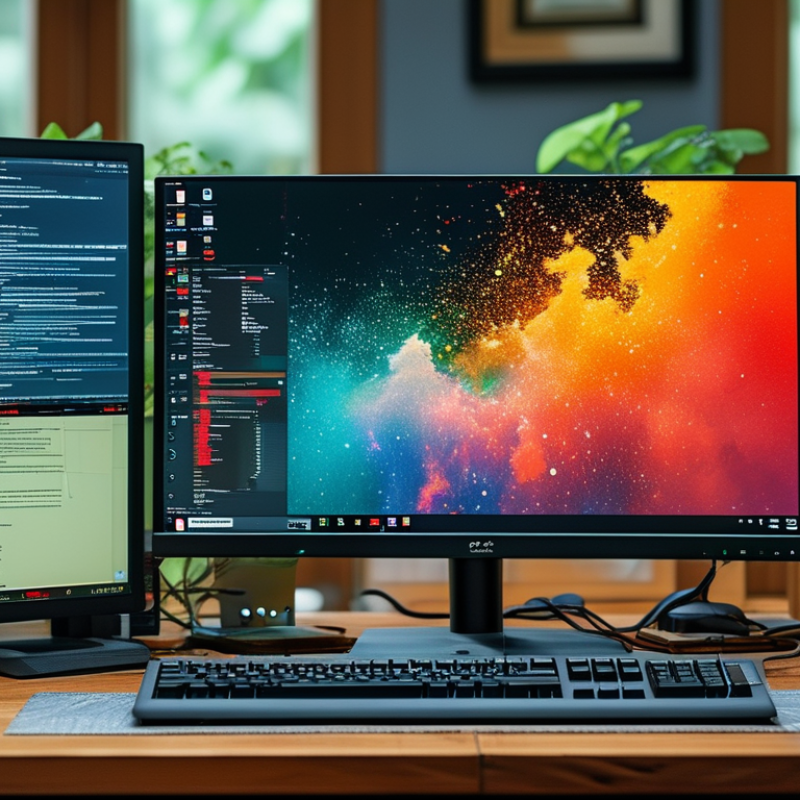
When selecting a computer display, understanding display types is crucial. LCD, LED, and OLED are the most common options available today. Each technology has its unique characteristics and applications. According to a recent report by the International Display Module Association, LCD displays account for approximately 60% of the global market. They offer decent color accuracy and good performance for most tasks. However, they often struggle with deep blacks and high contrast levels compared to other technologies.
LED displays are essentially a variant of LCD, utilizing LED backlighting. This results in improved brightness and vibrancy. It’s important to note that while LED screens can produce stunning visuals, viewing angles can be limited. A study by Display Bank suggests that LED displays can outperform traditional LCDs in energy efficiency, making them popular for users concerned about power consumption.
OLED displays stand out with their self-emitting pixels. They offer superior contrast and vibrant colors. These displays can achieve true blacks, making them ideal for creative professionals and gamers. Nonetheless, OLEDs may have durability concerns and susceptibility to burn-in. As you evaluate your options, it’s essential to balance these technologies’ benefits and challenges to find the best fit for your needs.
Top 10 Tips for Choosing the Best Computer Display - Understanding Display Types: LCD, LED, OLED, and More
| Display Type |
Color Accuracy |
Brightness (nits) |
Response Time (ms) |
Power Consumption (Watts) |
Lifespan (hours) |
| LCD |
Good |
250-350 |
5-16 |
30-100 |
30,000-70,000 |
| LED |
Excellent |
300-800 |
1-5 |
20-80 |
50,000-100,000 |
| OLED |
Exceptional |
400-1000 |
0.1-1 |
50-200 |
30,000-50,000 |
| Mini LED |
Very Good |
600-1200 |
1-5 |
25-75 |
50,000-100,000 |
| Quantum Dot |
Great |
350-1000 |
5-10 |
50-120 |
50,000-100,000 |
Determining the Ideal Screen Size for Your Needs and Space
Choosing the right screen size is crucial for a satisfying computer experience. A display that fits your needs and space can make a significant difference. For smaller workspaces, a 24-inch monitor is often ideal. It strikes a balance between usability and footprint. However, cramped environments may require even smaller screens, around 21 inches.
For those with larger desks or multitasking needs, a 27-inch or 32-inch monitor can enhance productivity. Larger screens allow for easier multitasking and improved visibility. Yet, it is essential to consider your viewing distance. Sitting too close to a big screen can lead to discomfort.
Assessing the room and your typical usage is vital. If you play games or work with graphics, a larger display might be worth it. For basic tasks like browsing, a smaller size is often sufficient. Reflecting on your habits will guide your choice. A well-chosen screen can enhance comfort and efficiency in daily tasks.
Top 10 Tips for Choosing the Best Computer Display
This chart illustrates the most desired screen sizes by users when choosing a computer display based on survey data.
Evaluating Resolution: Full HD, 4K, and Beyond
When evaluating resolution for computer displays, understanding the differences is crucial. Full HD (1080p) has been a standard for years. It provides a resolution of 1920 x 1080 pixels, which is sufficient for basic tasks. However, as screens become larger, the pixel density can suffer. Studies show that 73% of users prefer higher resolutions for gaming and graphics. This is where 4K (2160p) comes in, boasting 3840 x 2160 pixels. Users notice the increase in detail, making it ideal for professional work.
Beyond 4K, there are even higher resolutions, such as 8K. However, content availability is limited. A report from the International Display Research states that 4K displays will dominate over 60% of the global market by 2025. This indicates a shift towards higher resolutions for consumers. Yet, the higher the resolution, the more powerful the graphics card required. Many users overlook this aspect, which can lead to poor performance.
While higher resolutions offer stunning visuals, they also come at a cost. Factors like screen size, use case, and budget must be balanced. Some may find that 1440p (2K) is the sweet spot, providing good detail without excessive hardware demands. It's important to assess your specific needs before making a decision.
Importance of Refresh Rate and Response Time in Performance
When selecting a computer display, understanding refresh rate and response time is crucial. The refresh rate, measured in hertz, dictates how many times the screen updates per second. A higher refresh rate results in smoother visuals. This is especially important for gaming and video editing. A display with a 120Hz refresh rate can provide a much more fluid experience than a standard 60Hz monitor. For competitive gamers, even small differences in refresh rates can impact performance.
Response time measures how quickly a pixel changes from one color to another. Lower response times reduce motion blur and ghosting effects. A display with a 1ms response time is ideal for fast-paced gaming. However, some displays advertise fast response times, but they may not deliver real-world performance. It’s essential to look for independent reviews and tests to verify these claims. Investing time in research can prevent disappointing results.
Balancing refresh rate and response time requires careful consideration. Some users may prioritize refresh rate, while others may focus on response time. Each individual's needs will vary. Testing displays in-store can provide valuable insights. Be aware that personal preferences play a significant role in choosing the right monitor for your setup.
Connectivity Options: Ensuring Compatibility with Your Devices
When choosing a computer display, connectivity options are crucial. Check what ports your devices have. HDMI, DisplayPort, and USB-C are common. Each type offers different benefits. For example, USB-C supports power delivery and data transfer. Ensure your monitor has compatible ports to avoid frustrating compatibility issues.
Consider the number of connections you need. Some users may run multiple devices. A display with multiple HDMI ports can simplify this setup. Think about your future needs too. Technology evolves quickly. What you choose today may not support tomorrow's devices. Research potential upgrades while shopping.
Not all cables meet the same standards. Quality matters. A lower-quality cable can affect performance. It might cause screen flickering or poor resolution. Invest in good cables to protect your investment. Don’t neglect the importance of connectivity. The right choices can enhance your overall experience. A thoughtful selection process may lead to better satisfaction.