What is a PC Touch Screen and How Does It Work?
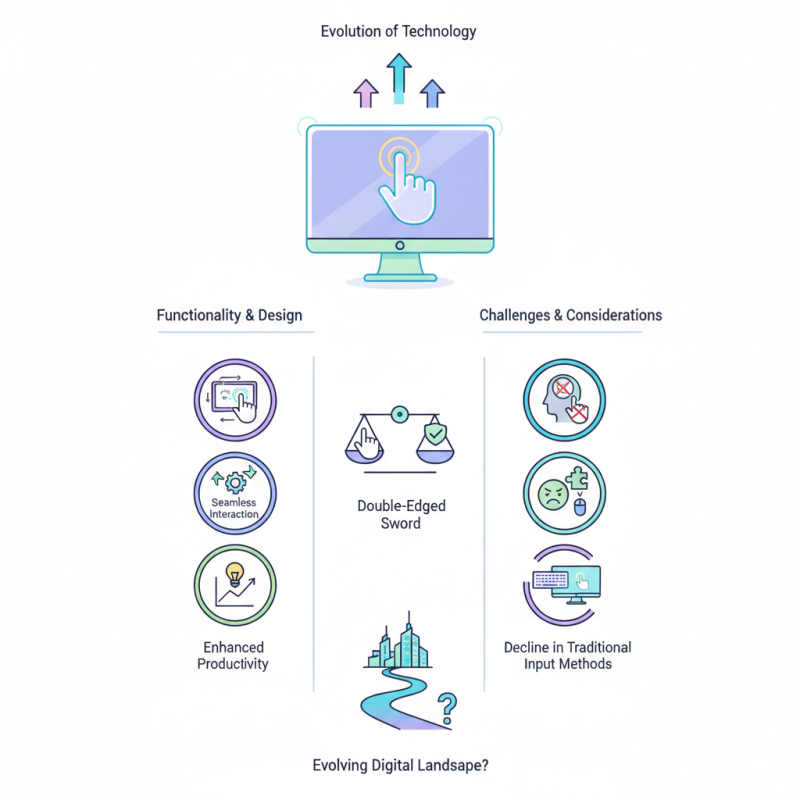
The evolution of technology has transformed how we interact with computers, especially through devices like the PC touch screen. As industry expert Dr. Emily Carter once stated, “A PC touch screen marries functionality with intuitive design.” This innovation has reshaped user experience in various sectors, from retail to education.
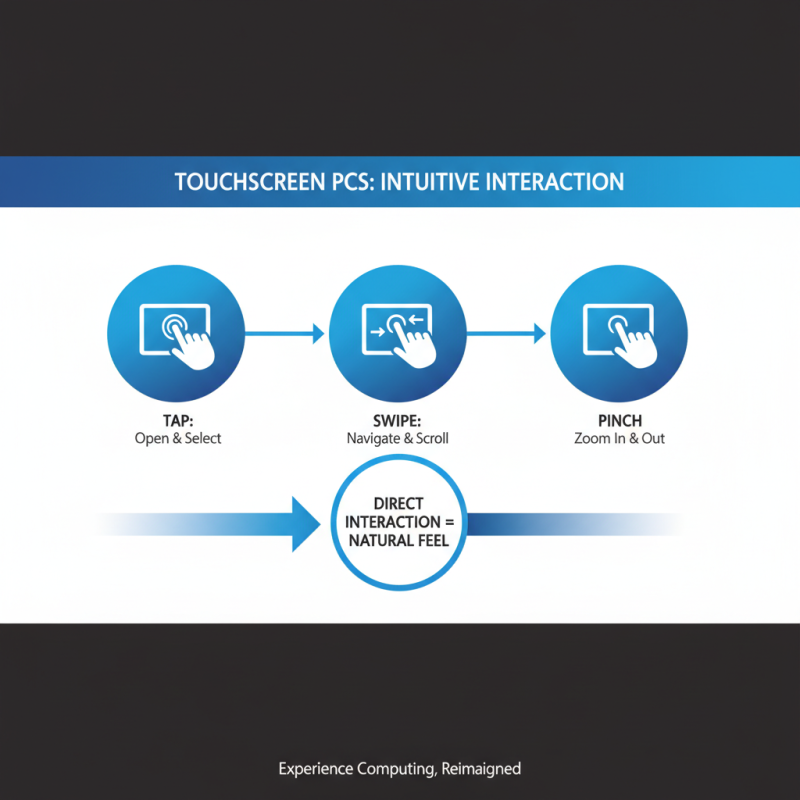
PC touch screens allow immediate feedback. Users can tap, swipe, or pinch, making interaction seamless. These screens significantly enhance productivity. Yet, as they become more common, there's a question of accessibility. Not everyone feels comfortable using touch technology. Some might find it challenging or frustrating, particularly in high-stress environments. This raises concerns about usability and inclusivity.
Furthermore, the reliance on PC touch screens could lead to a decline in traditional input methods. Users might forget keyboard shortcuts or mouse navigation. These screens are a double-edged sword, offering ease while potentially stripping away vital skills. As we embrace the future, it’s essential to reflect on these changes. How does a PC touch screen fit into our evolving digital landscape?
What is a PC Touch Screen? Definition and Types Explained
A PC touch screen is a display that allows users to interact directly with what is shown. This interaction is primarily through touching the screen, which can be more intuitive than using a mouse or keyboard. Different types of touch screens are available, each utilizing various technologies. The most common types include resistive, capacitive, and infrared.
Resistive touch screens respond to pressure. They consist of multiple layers that register touch when pressed. This type is often less sensitive but functions well with gloves. Capacitive screens use the electrical properties of the human body to detect touch. They are more responsive and provide a smoother experience. Infrared touch screens use light sensors, detecting any interruption of light to pinpoint touch locations. Each type has its pros and cons.
Challenges arise with all these technologies. For example, resistive screens can wear out over time due to constant pressure. Capacitive screens may not work with certain gloves. Infrared screens can be affected by external light. Understanding these nuances is key to choosing the right touch screen for your needs.
Touch Screen Technology Growth Over Years
This bar chart illustrates the growth of global touch screen shipments from 2018 to 2023. As technology advances, the demand for touch screens in various applications continues to rise significantly.
The Technology Behind Touch Screens: Capacitive vs. Resistive
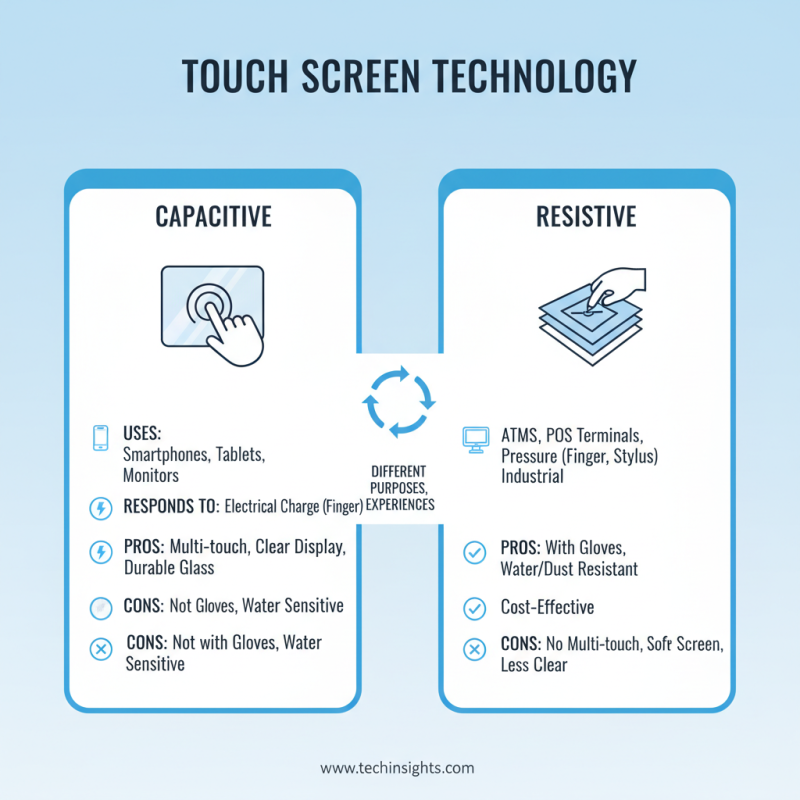
Touch screens have revolutionized the way we interact with technology. They primarily use two types of technology: capacitive and resistive. These technologies serve different purposes and offer distinct user experiences.
Capacitive touch screens rely on the electrical properties of the human body. They detect touch through changes in capacitance when a finger approaches the screen. According to a recent market analysis, capacitive screens accounted for over 80% of the touch screen market share in 2022. Their responsiveness and ability to recognize multi-touch gestures make them popular in smartphones and tablets.
Resistive touch screens, on the other hand, work by applying pressure. They are made up of two flexible layers separated by a small gap. When pressure is applied, the layers come into contact, registering the touch. Despite being less sensitive than their capacitive counterparts, resistive screens are often preferred for industrial applications. They can function well in harsh environments and can be operated with gloves or a stylus. However, their market share has been declining, dropping below 20% as consumers favor the sleek design of capacitive options.
How Touch Screens Detect Input: The Science of Touch Sensing
Touchscreens are revolutionizing how we interact with computers. They rely on touch sensing technology to detect user input. There are several methods of touch detection, including capacitive, resistive, and infrared. Each type has its strengths and limitations. For instance, capacitive screens respond to the electrical properties of the human body. This type of screen allows for multi-touch gestures, which are crucial for modern applications.
According to a recent industry report, the global touch screen market is projected to grow significantly, expected to reach over $60 billion by 2025. This growth underscores the increasing reliance on touch technology in various devices. However, the complexity of touch sensing can sometimes lead to issues. For example, environmental factors such as dirt or moisture can interfere with touchscreen accuracy. Users may face frustrations when screens fail to register touches correctly due to these elements.
Touch sensing technology can also struggle with precision. Fine details, like small icons, can be hard to select accurately, leading to user errors. As the demand for high-definition displays rises, ensuring that touch screens can maintain accuracy is vital. The challenge remains: How do we balance the advancement of technology with user convenience? Continuous improvements in touch sensing are necessary, but real-world applications often reveal gaps needing attention.
What is a PC Touch Screen and How Does It Work?
| Touch Screen Technology |
Description |
Common Applications |
| Resistive |
Uses pressure to detect touch, where two conductive layers make contact. |
Industrial controls, ATMs, and older mobile devices. |
| Capacitive |
Uses the electrical properties of the human body to detect touch. |
Smartphones, tablets, and modern touch-enabled PCs. |
| Infrared |
Uses an array of infrared light-emitting diodes and photodetectors. |
Large touchscreen displays, kiosks, and digital signage. |
| Optical |
Utilizes cameras and computer vision to detect touch. |
Interactive whiteboards and large touch displays. |
| Surface Acoustic Wave |
Uses ultrasonic waves on the screen surface to detect touch. |
Public kiosks, retail screens, and high-end displays. |
The Growth of Touch Screen Technology in the PC Market
The touch screen technology has seen remarkable growth in the PC market. Recent data shows that the global PC touch screen market was valued at approximately $5 billion in 2022, with projections estimating a rise to $12 billion by 2027. This reflects a compound annual growth rate (CAGR) of around 18%. More users are seeking devices that combine functionality with interactive experiences.
End users are increasingly drawn to touch screens for several reasons. Touch interfaces offer intuitive controls. They simplify tasks like zooming or scrolling. For instance, studies indicate that users typically prefer touch navigation over traditional mouse and keyboard interactions. The convenience of direct manipulation can enhance productivity in various fields, from design to education.
However, challenges remain. Not all applications benefit from touch interactivity. Certain tasks may still require precision and tactile feedback. Additionally, touch screens can suffer from wear and tear, potentially leading to user frustration. These areas need improvement to ensure the technology meets user demands effectively.
Advantages and Limitations of Touch Screen PCs: User Experience Insights
Touch screen PCs offer a unique way to interact with computers. The experience is intuitive and engaging. Users can simply tap, swipe, or pinch to navigate applications. This direct interaction can feel more natural than traditional methods, like using a mouse or keyboard.
However, not all experiences are seamless. Some users report difficulty with finger sensitivity. Calibration issues may also arise. These aspects can lead to frustration and hinder productivity. Additionally, fingerprints on screens can be distracting.
Despite these limitations, touch screen PCs enhance accessibility. They are particularly beneficial for those with mobility challenges. Nevertheless, the technology is still evolving. Finding the perfect balance between responsiveness and accuracy remains a goal for manufacturers and developers alike.