How to Choose an Industrial Touchscreen PC?

Selecting the right industrial touchscreen pc requires more than comparing screen size and processor speed. In a factory, the computer may face dust, vibration, moisture, heat, and continuous operation. A device that performs well in an office can fail beside a cutting machine. The selection process should connect technical specifications with actual working conditions.

Consider the operator’s daily experience. Can a gloved worker tap the interface accurately? Does the screen remain readable under bright warehouse lighting? A sealed front panel may simplify cleaning, while a fanless design can reduce dust entering the enclosure. Check the IP rating, operating temperature, mounting method, display brightness, and available ports. Small details matter. A missing serial port or weak mounting bracket can create expensive installation problems.

Performance also needs careful judgment. A powerful processor is not always the best choice for a simple monitoring task. It may increase cost, heat, and energy use without improving results. Reliable storage, long-term component availability, and secure operating system support often matter more. Industrial environments also benefit from stable networking, responsive touch control, and accessible service procedures. These points reflect common engineering practice, but every facility has different risks. No checklist is flawless. A prototype test may reveal glare, delayed touch response, or cable interference before full deployment. Reviewing vendor documentation, warranty terms, certifications, and technical support can strengthen the final decision. The best industrial touchscreen pc is not merely powerful; it should remain dependable, usable, and maintainable where production actually happens.
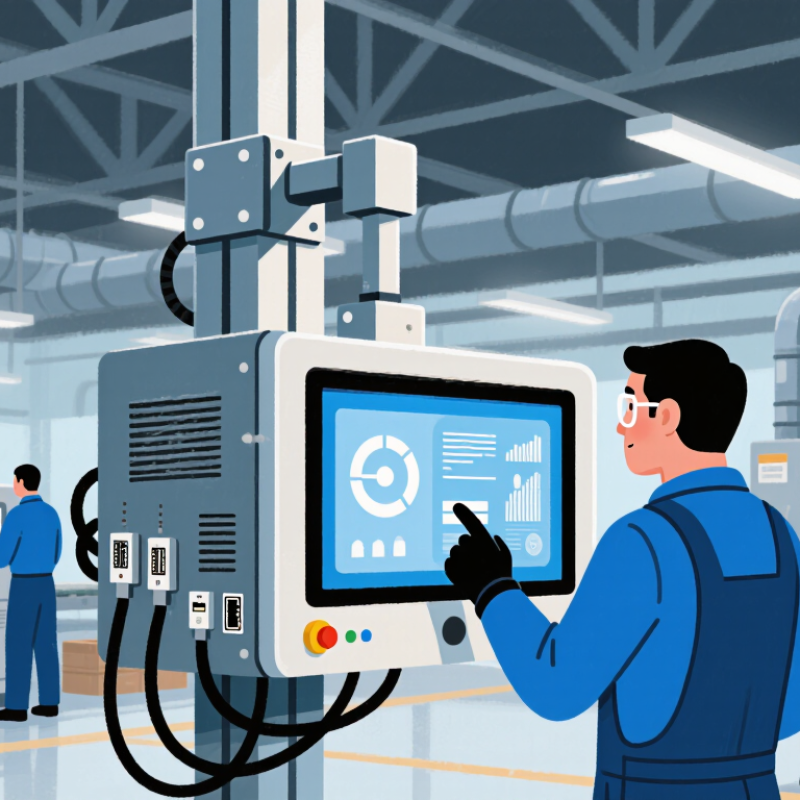
How to Choose an Industrial Touchscreen PC?

Define the Industrial Environment and Operating Conditions

How to Choose an Industrial Touchscreen PC?

Define the Industrial Environment and Operating Conditions

Start with the physical conditions, not the screen size. Record ambient temperature, humidity, dust, water, vibration, shock, sunlight, and chemical exposure. A packaging line may face daily washdowns, while a warehouse terminal may face cold air and forklift impacts. The IEA’s Energy Efficiency 2023 analysis estimates that industry consumes about 37% of global final energy. Reliable computing therefore supports demanding, energy-intensive operations. Small failures can interrupt production.

Check the required protection rating carefully. Under IEC 60529, IP65 protects against dust and water jets, but not immersion. NEMA 250 Type 4X also addresses corrosion resistance. These ratings do not measure vibration, electromagnetic interference, or touchscreen usability with gloves. Confirm operating and storage temperatures separately. A display near a furnace needs more than a sealed enclosure. It also needs thermal management and readable contrast. A common mistake is choosing the highest IP rating and assuming every risk is covered. That assumption needs testing.

Tips: Walk the installation route before selecting the computer. Measure cabinet space, cable paths, cleaning distance, and direct sunlight. Test the touchscreen with the actual gloves, tools, and moisture used on-site. Review vibration data from the machine supplier. If conditions change seasonally, use the worst recorded values, not comfortable averages. Keep a written environmental profile for procurement and maintenance teams. It may feel excessive, but memory is unreliable.

Identify Required Performance, Connectivity, and Software Features

Choosing an industrial touchscreen PC starts with the workload, not the screen size. Identify required processing, memory, storage, and graphics performance first. A basic operator panel may need only a low-power processor and 8 GB of memory. A vision station needs stronger graphics, faster storage, and thermal headroom. Do not buy maximum performance automatically. It can increase heat, cost, and maintenance. Deloitte’s 2023 Smart Manufacturing and Operations Survey found that 86% of manufacturers view smart manufacturing as a major competitiveness driver. Yet many installations still underestimate software and network demands. That gap deserves attention.

Connectivity should match the factory floor. List every required interface, including Ethernet, serial ports, USB, digital I/O, wireless access, and fieldbus support. The International Federation of Robotics reported 541,302 industrial robots installed worldwide in 2023. More robots mean more controller data, alarms, and diagnostic traffic. A practical test connects the PC to a live PLC, scanner, and remote dashboard simultaneously. Check latency during shift changes, not only in a quiet laboratory. Real conditions are messier.

Software features determine whether the system remains useful after installation. Require stable drivers, an accessible software development kit, remote monitoring, user permissions, audit logs, and controlled updates. OPC UA support can simplify communication between machines and supervisory applications. NIST SP 800-82 Rev. 3 recommends separating industrial control networks and applying risk-based security measures. Include recovery testing. A perfect interface is still a failure if operators cannot restore it after storage damage or a failed update. I would also document temperature limits and maintenance steps, because these details are often neglected.

Select the Appropriate Display, Touch Technology, and Screen Size

How to Choose an Industrial Touchscreen PC?

Select the Appropriate Display, Touch Technology, and Screen Size

The display must match the factory, not the product brochure. In a dusty packaging area, a bright panel with anti-glare glass remains easier to read. For outdoor equipment, check sunlight readability, operating temperature, and sealed front protection. MarketsandMarkets projects the industrial PC market to grow from about USD 5.3 billion in 2023 to USD 7.4 billion by 2028. That expansion reflects demand for durable computing in harsh environments, but durability still depends on correct specifications.

Touch technology affects speed, safety, and maintenance. Projected capacitive touch supports gestures and works well with bare fingers. However, it may respond poorly to thick gloves, water droplets, or metal debris. Resistive touch can accept gloves and styluses, though it usually needs firmer pressure. A 2024 report from Mordor Intelligence estimates the global touchscreen market will continue expanding through 2029, with industrial automation among its important applications. Treat market growth as context, not proof of suitability.

Screen size should follow viewing distance and control density. A 10-inch panel may suit a compact machine with a few controls. A 15-inch or larger screen gives operators more space for alarms, trends, and production data. Bigger is not always better. I have seen oversized panels crowd a narrow workstation and increase awkward arm movement. Measure the mounting area, glove reach, and typical viewing angle before choosing. Test the interface with real operators. Their feedback may challenge the original design.

How to Choose an Industrial Touchscreen PC? - Select the Appropriate Display, Touch Technology, and Screen Size

Selection Category Typical Industrial Scenario Recommended Display Characteristics Suitable Touch Technology Suggested Screen Size Selection Rationale
Display Type Indoor machine control and production monitoring LCD LED backlight
300–500 cd/m² brightness
1280 × 800 or higher resolution
Projected capacitive touch for clean, frequent interaction 10.1–15.6 inches Provides clear graphics and sufficient brightness for most indoor factory environments without excessive power consumption.
Display Type Outdoor equipment, loading areas, and bright production floors High-brightness LCD
Typically 700–1,500 cd/m²
Anti-glare surface
Wide viewing angle
Projected capacitive touch with a surface treatment suitable for glare reduction 12.1–21.5 inches Higher luminance and anti-glare treatment improve readability when ambient light is strong or variable.
Display Type Control rooms and process visualization Full HD or higher resolution
Wide viewing angle
High contrast
Anti-glare or anti-reflective coating
Projected capacitive touch or infrared touch, depending on glove and cleanliness requirements 15.6–23.8 inches A larger, sharper display allows operators to view trends, alarms, dashboards, and multiple process elements simultaneously.
Touch Technology Clean assembly areas and operator terminals Standard industrial LCD
300–500 cd/m² brightness
Flat front panel preferred
Projected Capacitive (PCAP)
Multi-touch support
Typically works with bare fingers or compatible gloves
10.1–15.6 inches PCAP offers a smooth, durable glass surface, fast response, and support for gestures such as zooming and scrolling.
Touch Technology Heavy-glove operation, washdown areas, or applications requiring a pen Industrial LCD with sealed front bezel
Chemical-resistant cover glass
Brightness selected for the work area
Infrared (IR)
Detects fingers, gloves, and styluses
No pressure required
12.1–21.5 inches IR touch can recognize gloved inputs and is not dependent on electrical conductivity, although the bezel should be kept free of heavy contamination.
Touch Technology Basic machine controls and environments with frequent dust or liquid exposure Rugged LCD
Sealed front panel
Matte or anti-glare surface
Resistive Touch
Single-touch operation
Compatible with fingers, gloves, and styluses
7–15 inches Resistive touch is practical for simple commands and can be operated with many input tools, but it generally provides less gesture capability than PCAP.
Screen Size Compact machines and space-constrained control panels 800 × 480, 1024 × 600, or similar resolution
Prioritize legible controls and status indicators
PCAP or resistive touch, based on glove and interface requirements 7–10.1 inches A compact panel preserves workspace and is appropriate when the interface contains only essential controls, alarms, and measurements.
Screen Size General-purpose operator panels and equipment monitoring 1280 × 800 or 1920 × 1080 resolution
Wide viewing angle
Moderate to high brightness
PCAP for frequent interaction; resistive touch for glove-heavy use 10.1–15.6 inches This range balances readability, installation space, cost, and ease of interaction for many industrial applications.
Screen Size SCADA dashboards, production lines, and multi-panel visualization Full HD or higher resolution
High contrast
Wide viewing angle
Anti-glare treatment
PCAP or IR touch, depending on glove use and required interaction distance 17.3–23.8 inches The additional screen area improves visibility of multiple data panels and reduces excessive scrolling during monitoring tasks.
Environmental Fit Dusty, humid, vibrating, or temperature-variable industrial locations Industrial-grade panel
Sealed front design
Anti-vibration construction
Operating temperature selected for the site
Sealed PCAP, IR, or resistive touch according to input conditions 10.1–21.5 inches Environmental protection, mounting stability, and suitable operating-temperature specifications are as important as display resolution.
Installation and Maintenance Panel-mounted systems requiring regular cleaning Flat front surface
Anti-glare cover glass
Sealed bezel
Front-accessible controls where possible
PCAP or resistive touch with a cleanable surface 10.1–15.6 inches A smooth, sealed front surface reduces dirt traps and simplifies routine cleaning and sanitation procedures.
Practical selection rule: Choose brightness according to ambient light, select touch technology according to gloves and contamination, and choose screen size according to viewing distance, interface complexity, and available mounting space.

Evaluate Durability, Certifications, Mounting, and Maintenance Needs

How to Choose an Industrial Touchscreen PC?

Durability starts with the real worksite, not a product brochure. In a dusty packaging line, specify an enclosure rated under IEC 60529, such as IP65 or higher. IP ratings do not prove resistance to vibration, chemicals, or temperature cycling. Check IEC 60068 test evidence for shock and vibration. A glove-friendly projected-capacitive or resistive touchscreen may suit different tasks. I once treated an IP rating as a complete answer. It was not.

Certification should match the installation region and electrical environment. Request valid test reports, not only printed compliance claims. Industrial automation is becoming denser; the International Federation of Robotics reported 541,302 new industrial robot installations worldwide in 2023. That growth increases the need for reliable human-machine interfaces near moving equipment. However, a certification logo cannot replace a site risk assessment. This is easy to overlook.

Mounting affects both reliability and repair time. Panel mounting can protect cables, while VESA arms improve operator access. Leave space for airflow and connector replacement. Select front-access storage, sealed ports, and tool-free service where possible. A maintenance team should replace a display without dismantling half a control cabinet. This sounds obvious. It is often missed. MarketsandMarkets estimated the industrial PC market could grow from about USD 5.2 billion in 2023 to USD 7.1 billion by 2028, showing strong demand, but growth does not guarantee suitable engineering. Ask for failure-rate data, operating-temperature limits, and a realistic spare-parts plan before purchase.

Compare Total Cost, Vendor Support, and Product Lifecycle Value

How to Choose an Industrial Touchscreen PC?

Choosing an industrial touchscreen PC requires more than comparing purchase prices. In factory trials, a low-cost unit can become expensive after installation. Include mounting hardware, sealed cables, software licenses, and engineering time. A bright display may reduce operator errors under harsh lighting. Ask for a realistic total-cost estimate, not a brochure figure. Calculate energy use, calibration, downtime, and technician travel before approving the purchase.

Vendor support deserves equal attention. Confirm response times, spare-unit availability, repair procedures, and remote diagnostic options. Get these commitments in writing. A support contact who understands factory conditions can resolve faults faster than a general help desk. Keep records of firmware versions and recurring alarms. We underestimated operator training time during one deployment. That was our mistake. A short training session could have prevented several avoidable service calls.

Product lifecycle value depends on availability and maintainability. Ask how long spare parts, operating-system updates, and security patches will remain available. Check whether the touchscreen, storage, and memory can be replaced without removing the entire panel. An industrial PC running reliably for ten years may cost less than three cheaper replacements. Calculate cost per productive year, then allow room for future software demands. Lifecycle planning is imperfect, but ignoring it creates harder surprises.